
Is the Lenovo P14s AMD Ryzen 7 Pro the Right Mobile Workstation for You?
The Lenovo P14s AMD Ryzen 7 Pro Mobile Workstation is a compelling choice for professionals who crave both portability and power. With its robust Ryzen 7 PRO processor and a sleek 14-inch display, it blends performance and convenience seamlessly. This mobile workstation promises not just to keep up with demanding tasks, but to excel at them—offering a standout feature set that could make it a preferred option in the bustling market of mobile workstations.
Main Features: A Closer Look
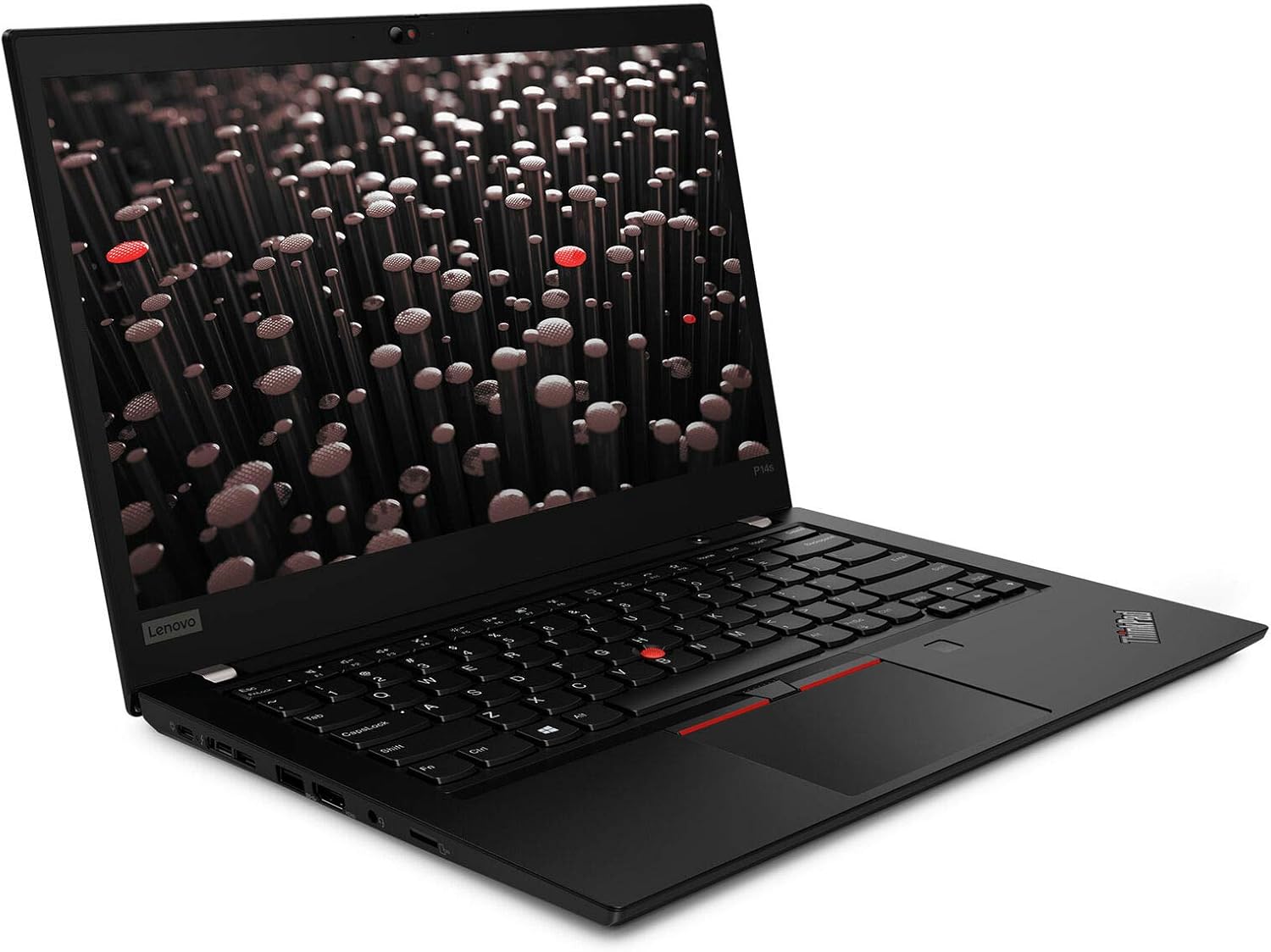
The Lenovo P14s stands out in the crowded field of mobile workstations primarily due to its core technical specifications. At the heart of this laptop is the powerful Ryzen 7 PRO processor, which is known for handling multiple demanding tasks with efficiency and speed. Coupled with Windows 11 Pro 64, it offers a seamless user experience that's hard to beat. You also get 16GB of RAM and a 512GB SSD—more than enough to store your essential files and multitask smoothly. The 14-inch WUXGA display, with its IPS technology, provides clear and vibrant visuals and its anti-glare feature means you won't be battling screen reflections during your outdoor work stints. Meanwhile, the non-touch screen is perfectly suited for those professional environments where precision and clarity are more important than touch navigation.
Connectivity is another key feature here. Equipped with WiFi 6E and Bluetooth options, the P14s ensures you're always connected, whether it be for streaming, transferring files, or engaging in virtual meetings. The integrated GPU may not win awards for gaming (more on that later), but for professional applications, it offers consistent, reliable performance. For further product specifications, take a look here.Benefits and Value Proposition
When it comes to performance, the benefits of the Ryzen 7 PRO processor cannot be overstated. It's designed to effortlessly manage everything from intricate spreadsheets to complex graphic design applications. This makes it ideal for professionals who often find themselves juggling multiple high-stakes tasks. Then there's the long-term value; Lenovo offers a three-year Premier Support Plus option, sparing you from future potential headaches with hardware issues. This kind of support is hugely beneficial for busy professionals who can't afford downtime.
The laptop's design is yet another highlight. It's lightweight, which means it won't weigh down your backpack, yet it's robust enough to withstand the usual bumps and knocks of daily travels. It's like having the best of both worlds—a tool that travels easily without compromising on durability. And while some might wonder about investing in premium laptops, this model really offers a bang for your buck. Think of it as buying peace of mind—you're getting a reliable companion for all your work needs. For more insights on choosing professional-grade laptops, check out our guide here.Practical Applications and Use Cases
Imagine being an engineer on the move; the Lenovo P14s is perfectly suited to handle the computational demands of your field. Whether you're running CAD software or doing high-level computations, this machine is built to keep up. Designers will also find it beneficial when working on graphic-heavy projects thanks to the ample processing power and clear display. Business executives who are in and out of meetings will appreciate its portability and connectivity features, ensuring productivity—even between flights or during layovers.
Let's not forget real-world applications. Tasks requiring substantial processing, like compiling code or rendering detailed graphics, are made feasible by the P14s' power and portability. It's worth mentioning that while it's not ideal for high-end gaming, its work-centric design is a trade-off that benefits professionals more. On-the-go productivity is further enhanced by its versatile hardware and software offerings, making the Lenovo P14s a valuable tool for professionals across industries. For those intrigued by its full capabilities, more information is available here.Expert Tips and Best Practices
To truly maximize the Lenovo P14s performance, there are a few setup tips you might consider. For instance, efficient SSD management can be critical—keeping your drive uncluttered ensures quicker boot times and faster application launches. When it comes to RAM, optimizing your usage by closing unnecessary background applications can pay dividends. As for peripherals, making use of Bluetooth options for wireless devices adds a clutter-free and flexible workspace.
On the subject of connectivity, WiFi 6E provides excellent speeds and reliability, but it's always wise to stay updated on network drivers for optimal performance. Battery life can often be a tricky aspect with power-packed laptops. Setting your machine to a balanced power mode can help prolong its operational uptime without compromising too much on power. In terms of environmental settings, try reducing screen brightness in well-lit conditions to conserve battery. It's all about finding that sweet spot between performance and efficiency. Keep an eye out for common pitfalls like overloaded startup processes which can slow you down unnecessarily. Trust me, a bit of time spent on initial optimization goes a long way.Honest Review and Recommendations
The Lenovo P14s is certainly a strong contender in the world of mobile workstations. Its lightweight design is a major plus for any professional who needs to travel frequently. Meanwhile, the comprehensive support services it offers provide added peace of mind. However, like most products, it's not perfect. The integrated GPU isn't ideal for high-end gaming, which could be a deal-breaker for some. But, let's focus on what it is meant for—professional applications, which it handles exceptionally well.
In my experience, the machine's performance aligns well with its pricing, offering good value for money given its impressive features. Users across various fields I've spoken to—be it tech, finance, or creative industries—report satisfaction with its capabilities. For travel-heavy professionals or those needing a reliable work companion, the P14s is an excellent choice. For more user experiences and reviews, check out our detailed analysis here.Getting Started: Step-by-Step Guide
Upon receiving the Lenovo P14s, your first task will be unboxing it, which is a simple enough process. Make sure you locate all accessories before diving in. Setting it up is straightforward: power it on and follow the on-screen instructions to get Windows 11 Pro up and running. A small tip: during the initial setup, connect to WiFi 6E for the fastest and most stable connection.
As you move to optimize settings for performance, ensure the latest drivers are installed, especially those related to the processor and GPU. Download necessary productivity software early on—minding any potential pitfalls with software compatibility—and begin data migration with caution to avoid any loss. Bluetooth peripherals are easily paired but remember to have the latest Bluetooth drivers to avoid hiccups. Encountering initial setup issues? Don't panic—most are easily resolved with a quick search or reboot. This step-by-step setup should ease you into this powerful workstation without hassle.Conclusion
In wrapping up our exploration of the Lenovo P14s Mobile Workstation, it's clear that this device is a top-tier choice for professionals demanding both power and mobility. Its robust features combined with a thoughtful design present a formidable tool for those often on the move. Weighing your specific needs against what this workstation offers is crucial.
Whether you're an engineer, designer, or business executive, acknowledging how this could ease your work chores might make a compelling case for checkout. For those looking to make a purchase decision right away, seeing how it stacks up against your work requirements will guide your purchase here.Frequently Asked Questions
Common questions about Lenovo P14s AMD Ryzen 7 Pro Mobile Workstation